Integration

Built for low-friction integration

Shiild is designed to fit partner products more easily than legacy security bundles, while giving end users a seamless activation experience through the partner journey.

Why integration is different

Less partner work, simpler customer activation

Shiild is built for integration into router and provider experiences, not for forcing an endpoint-suite model into environments where it does not fit naturally.

Core activation is designed to start inside the partner journey, with Shiild-hosted management available through webview or website where that keeps the partner experience simpler.

Components

What needs to connect

Router brands

  • Entry point inside the router UI or companion app
  • One-click activation for included Free protection
  • Router-side service setup for DNS or related protection routing
  • Shiild-hosted settings and Pro upgrade screens opened as webviews
  • Optional account or entitlement handoff when the router brand manages user identity
ISPs & carriers

  • Entry point inside the provider app, account portal, onboarding, or plan flow
  • Billing, subscription, bundle, or add-on mapping
  • Subscriber or service entitlement handoff
  • DNS/network-layer service configuration in the connectivity stack
  • Shiild-hosted management and upgrade screens surfaced through webview or website

User journey

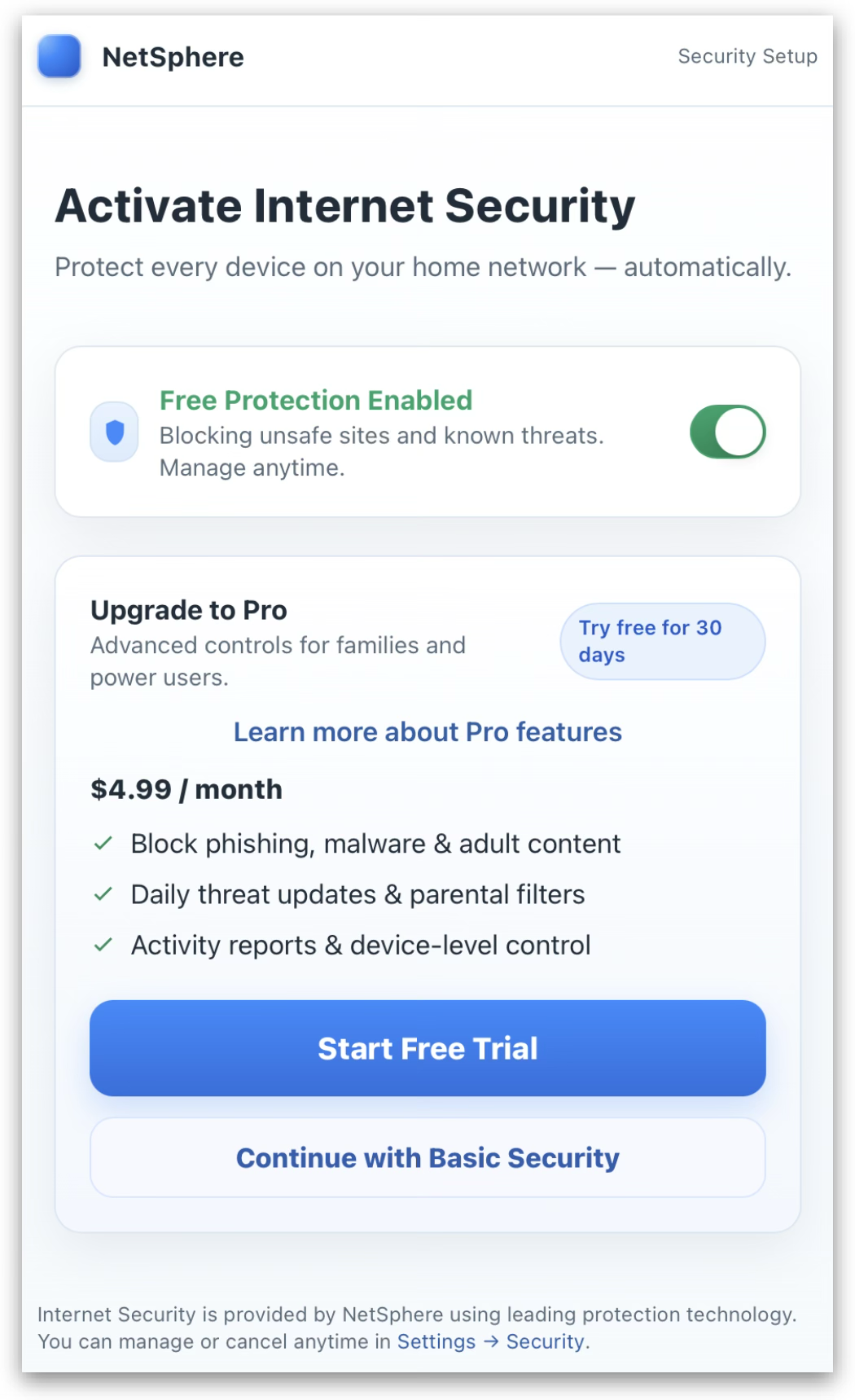
Core activation begins inside the partner flow

  1. 1User sees Shiild in the partner UI
  2. 2User activates protection in a low-friction step
  3. 3Protection is applied at the network, device, or subscriber level depending on setup
  4. 4User manages settings and subscription in your existing customer experience
Example Shiild activation inside a partner flow

Partner resources

Documentation and launch materials

Shiild provides the materials partners need to evaluate, integrate, launch, and promote the service.

Request access

API documentation

Technical references for the interfaces used in activation, entitlement, service setup, and account handoff.

Integration guidelines

Recommended patterns for router apps, provider portals, webviews, DNS/network setup, QA, and launch readiness.

Conversion playbook

Guidance for presenting Free activation, Pro upgrades, bundles, add-ons, and customer lifecycle touchpoints.

Marketing materials

Approved messaging, brand assets, screenshots, and content that help partners explain Shiild clearly to customers.

Partnerships

Ready to discuss an integration?

Share your partner type, region, and expected service flow so Shiild can route the conversation correctly.

Contact Sales