Whole-home protection
Covers every device on your Wi-Fi with a single router activation.
Block threats, ads, and trackers at the DNS level. Protect every device on your home network.
Covers every device on your Wi-Fi with a single router activation.
DNS-level filtering stops malicious and phishing sites before they load.
Optional ad blocking reduces clutter and saves data.
What Shiild does
Shiild adds a protective layer to your home internet connection, helping block risky sites and unwanted traffic before they reach your devices.
Instead of relying on every phone, laptop, tablet, and smart device to be configured perfectly, Shiild helps protect the network they all use. It is built for everyday households that want stronger protection with fewer steps to manage.
Protection
Protection starts at the home network, helping cover connected phones, laptops, tablets, smart TVs, and other devices without installing apps on each one.
Risky destinations are blocked before they load, helping reduce exposure across devices connected to the protected network.
Shiild Pro reduces disruptive ads, unnecessary requests, trackers, and fingerprinting services that follow activity across sites and apps.
Family controls help block adult content and other unwanted sites at the network level, giving households a simpler protection layer.
Infrastructure
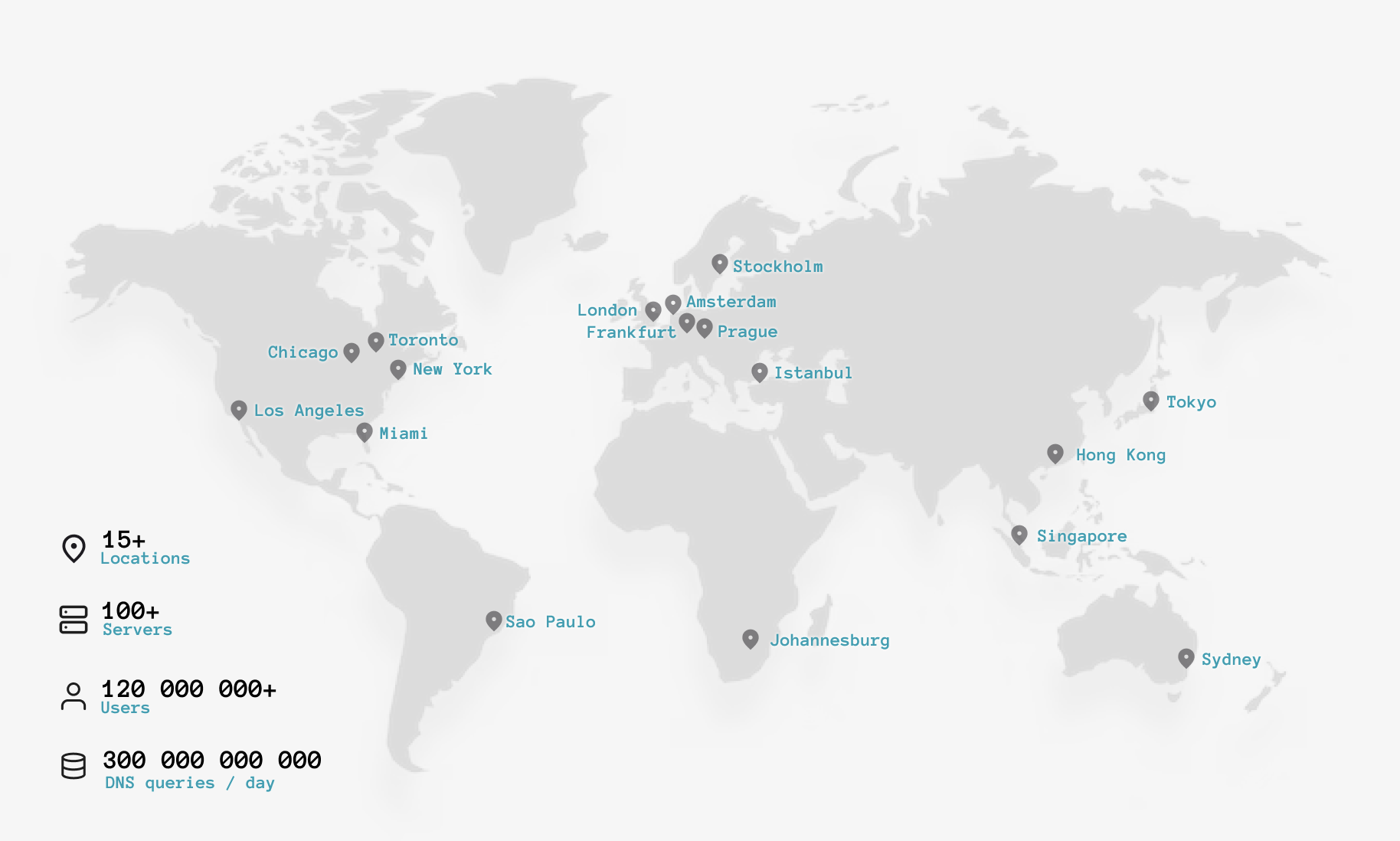
Shiild is backed by distributed DNS and security infrastructure designed to process high-volume network protection traffic around the world.
Protection plans
Shiild Free provides basic protection. Shiild Pro unlocks broader security, ad blocking, privacy protection, and family controls.
Compare Protection PlansActivation
Shiild is activated from your router app, provider account, or Shiild account, depending on how your service is delivered.
Support
Find activation help, account guidance, billing answers, and troubleshooting articles.